# Import Contacts: Manual Entry vs. CSV Import

1. Go to <https://platform.kuasa.io/> to login to your Kuasa account.
2. Enter your **registered email & password**.
3. Click **Sign In** **to Account.**
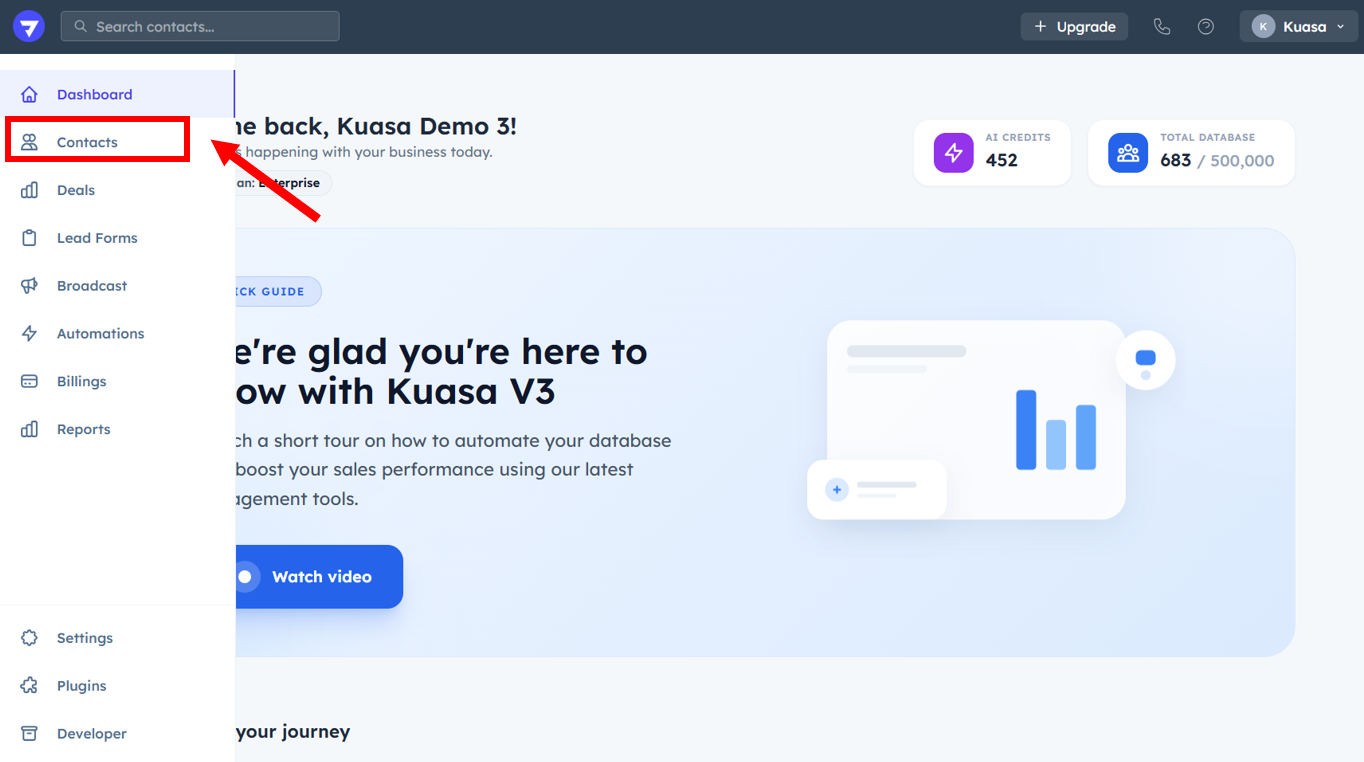
4. Click **Contacts**.

<figure><img src="https://837980260-files.gitbook.io/~/files/v0/b/gitbook-x-prod.appspot.com/o/spaces%2F-MZ6_HQ5Xb4p3DicjdT3%2Fuploads%2FNIkjPbnyAWsyFaFwrNs6%2Fimage.png?alt=media&#x26;token=cf925f0e-01f9-4c48-a49f-e6b743f834d8" alt=""><figcaption></figcaption></figure>

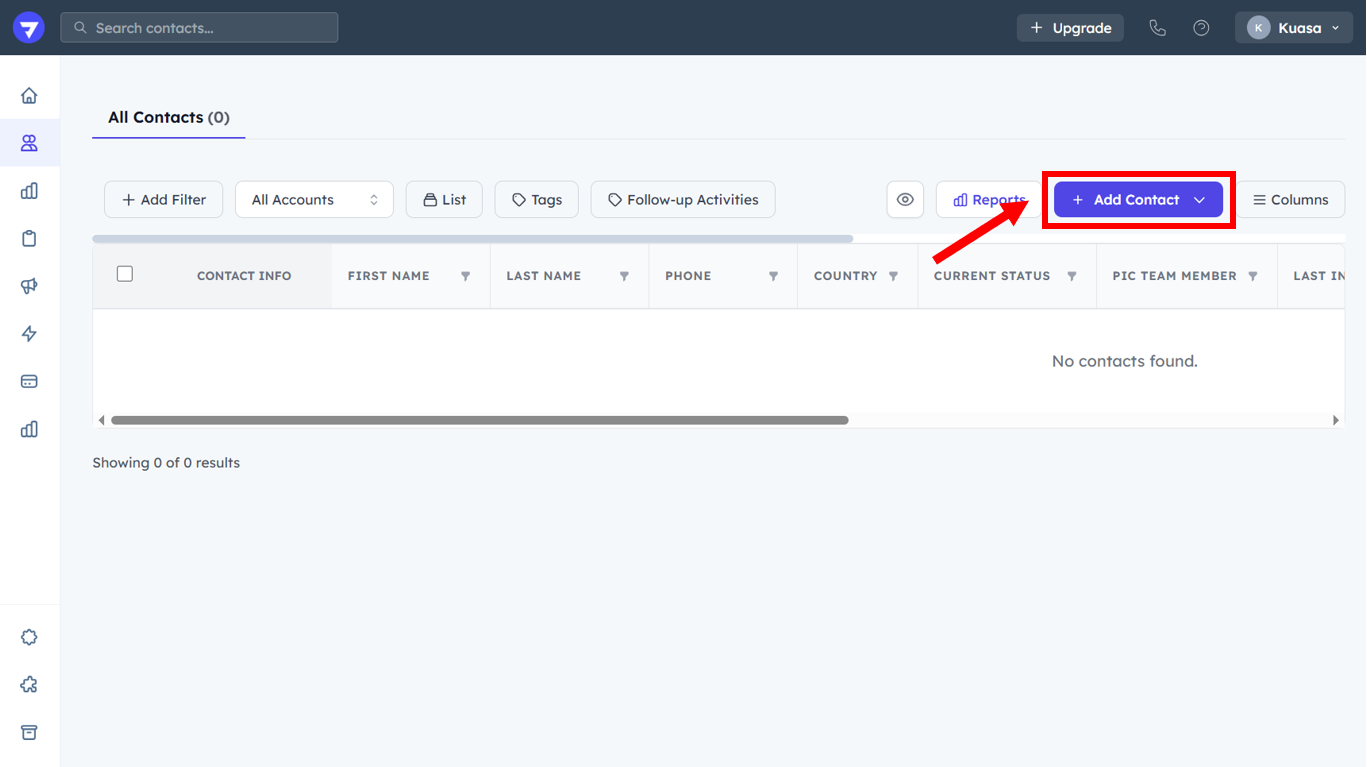
5. Click **Add Contact.**

<figure><img src="https://837980260-files.gitbook.io/~/files/v0/b/gitbook-x-prod.appspot.com/o/spaces%2F-MZ6_HQ5Xb4p3DicjdT3%2Fuploads%2FrgEVTHhnc0pVReYktDaI%2Fimage.png?alt=media&#x26;token=ca8356c7-3679-4270-925f-63054c04f98f" alt=""><figcaption></figcaption></figure>

#### Add Contacts Manually

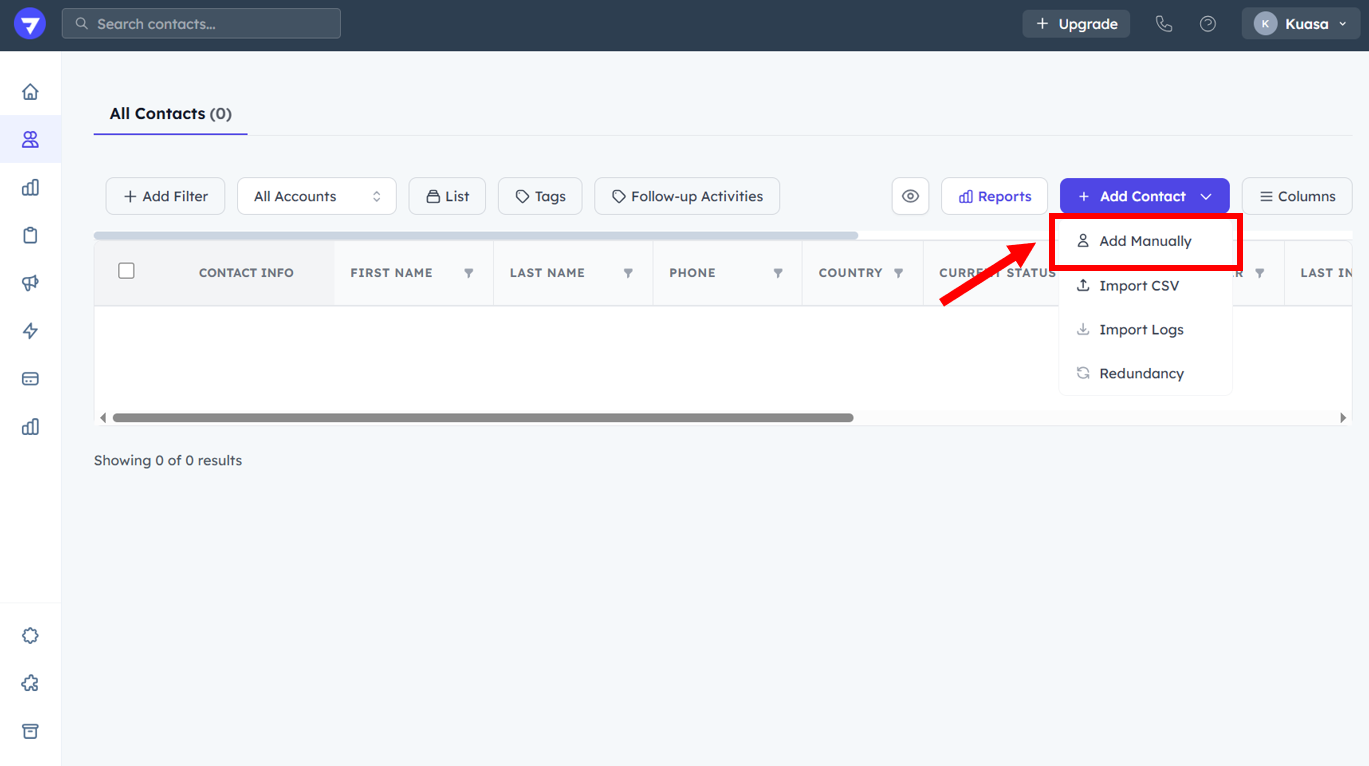
1. Click **Add Manually**.

<figure><img src="https://837980260-files.gitbook.io/~/files/v0/b/gitbook-x-prod.appspot.com/o/spaces%2F-MZ6_HQ5Xb4p3DicjdT3%2Fuploads%2FZAiUtmkeWcuvOHv1gwyW%2Fimage.png?alt=media&#x26;token=9abbecf4-7a77-4092-8494-8b8563e0175a" alt=""><figcaption></figcaption></figure>

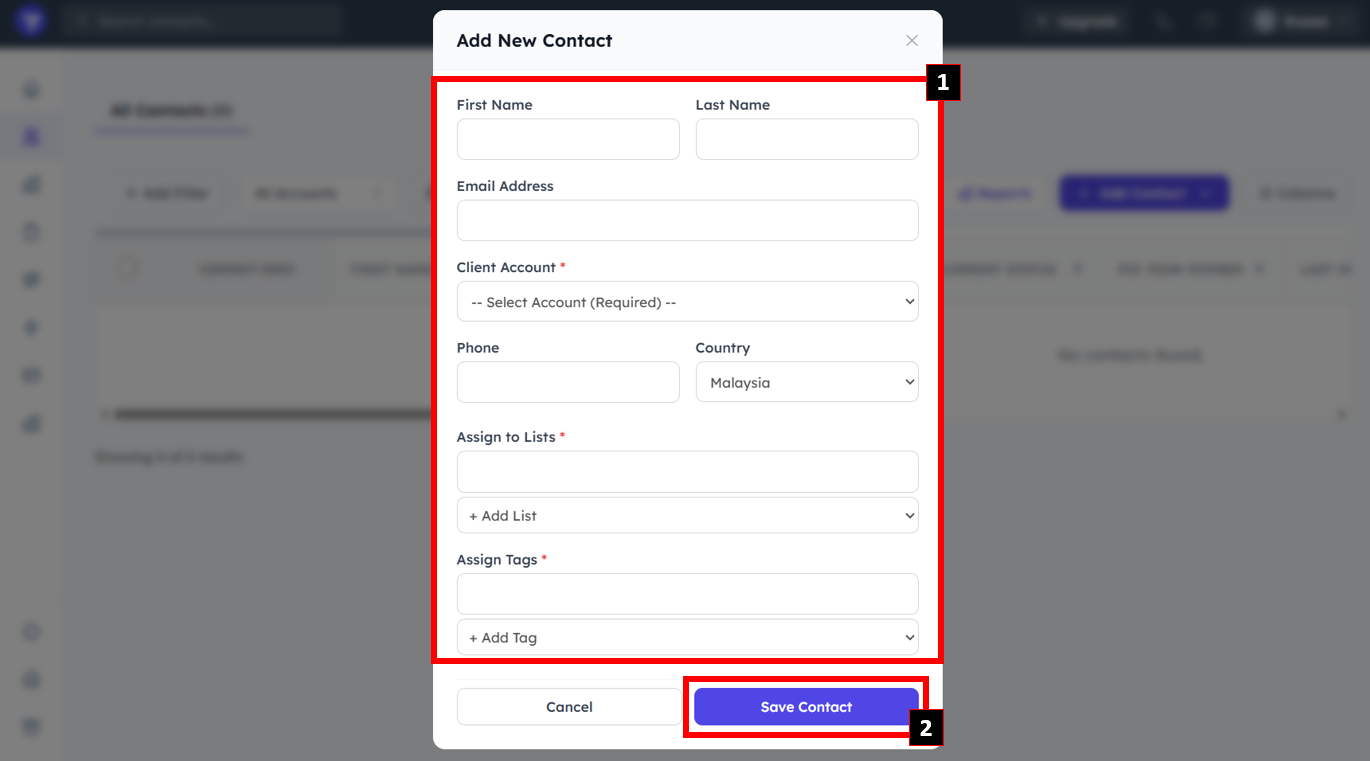
* Enter First Name, Last Name, Email Address.
* Select the **Client Account**.
* Enter phone number & select the country.
* Assign List & Tag to the contact.

{% hint style="warning" %}
Make sure to add the List & Tag before adding contacts
{% endhint %}

Click **Save Contact**.

<figure><img src="https://837980260-files.gitbook.io/~/files/v0/b/gitbook-x-prod.appspot.com/o/spaces%2F-MZ6_HQ5Xb4p3DicjdT3%2Fuploads%2FG4mRiZuFT52VEACGYyL9%2Fimage.png?alt=media&#x26;token=bfa9972d-eb10-4f2c-a696-c494dd18bbbe" alt=""><figcaption></figcaption></figure>

#### Add Contacts using CSV File

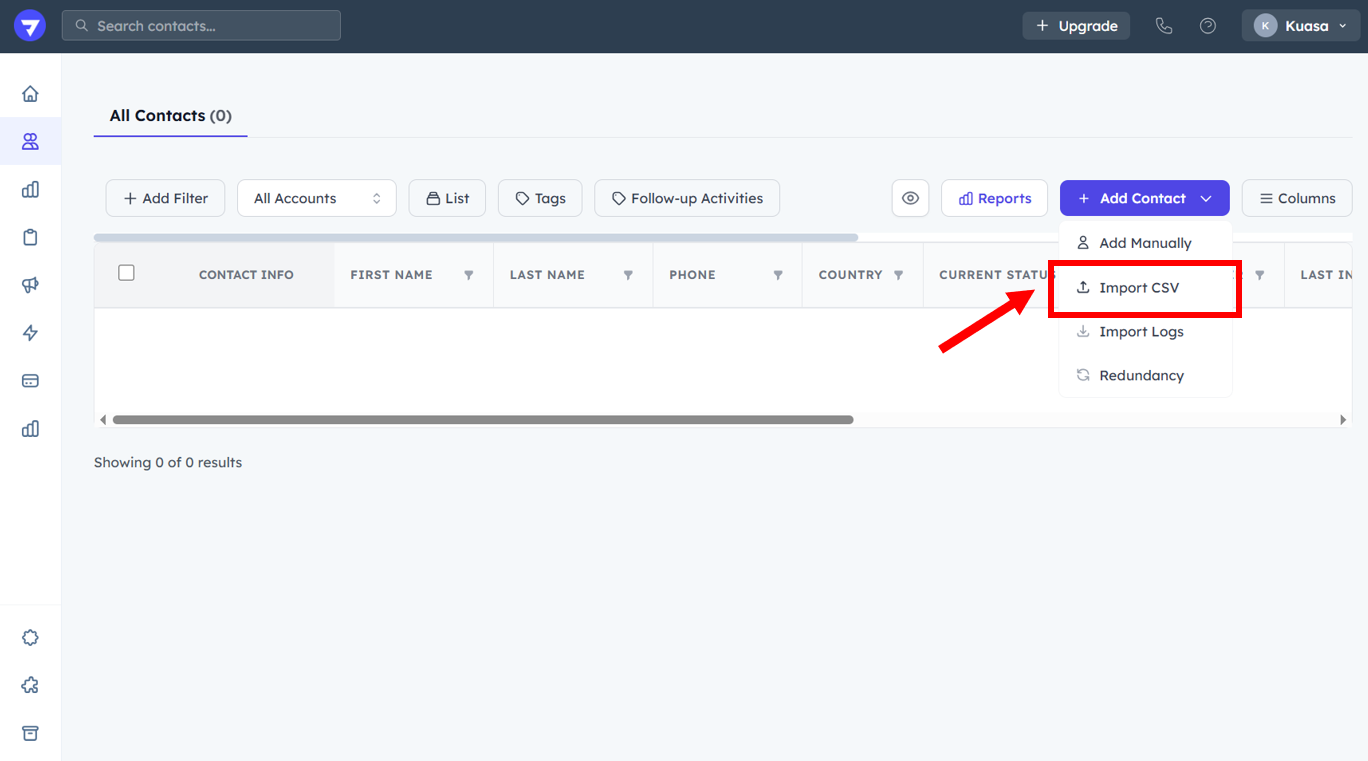
1. Click **Import CSV**.

<figure><img src="https://837980260-files.gitbook.io/~/files/v0/b/gitbook-x-prod.appspot.com/o/spaces%2F-MZ6_HQ5Xb4p3DicjdT3%2Fuploads%2FKqINjIz3hz2IGkIbv2Bl%2Fimage.png?alt=media&#x26;token=ffd7b335-a479-4c22-8597-ec509871b39d" alt=""><figcaption></figcaption></figure>

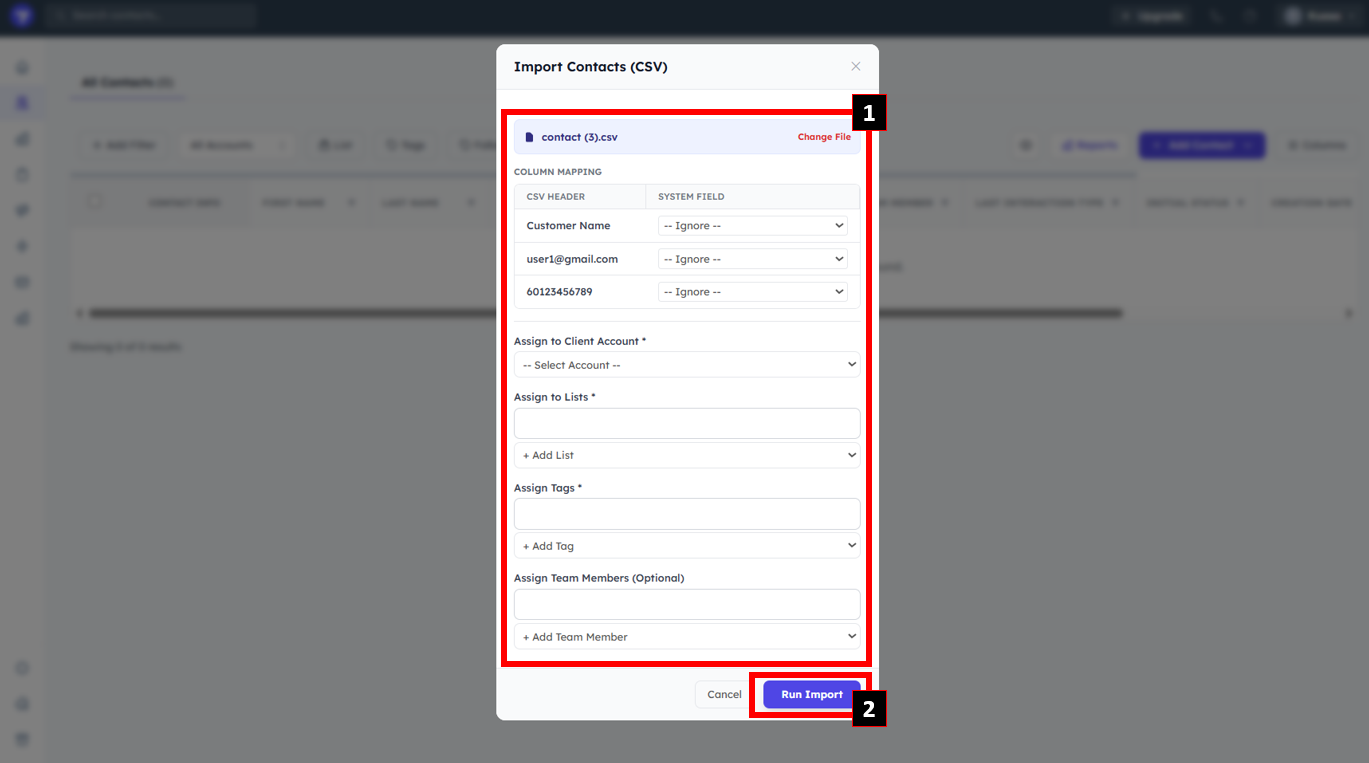
* Upload contacts CSV file.
* Set the **field type** for CSV header.
* Select **Client Account**.
* Select **List** & **Tag**.
* Click **Run Import**.
<figure><img src="https://837980260-files.gitbook.io/~/files/v0/b/gitbook-x-prod.appspot.com/o/spaces%2F-MZ6_HQ5Xb4p3DicjdT3%2Fuploads%2Fs6M6ySvCEOqmOXPuTbiq%2Fimage.png?alt=media&#x26;token=8187d1d3-1069-495d-8e39-95a74202dc8f" alt=""><figcaption></figcaption></figure>