# How to Filter and Search Your Contacts

#### Filter Contacts

1. Click **Contacts**.

<figure><img src="https://837980260-files.gitbook.io/~/files/v0/b/gitbook-x-prod.appspot.com/o/spaces%2F-MZ6_HQ5Xb4p3DicjdT3%2Fuploads%2FxOsW1TQqQIemzjSObPCZ%2Fimage.png?alt=media&#x26;token=12f4a74b-610e-4691-93f4-8313e2951adf" alt=""><figcaption></figcaption></figure>

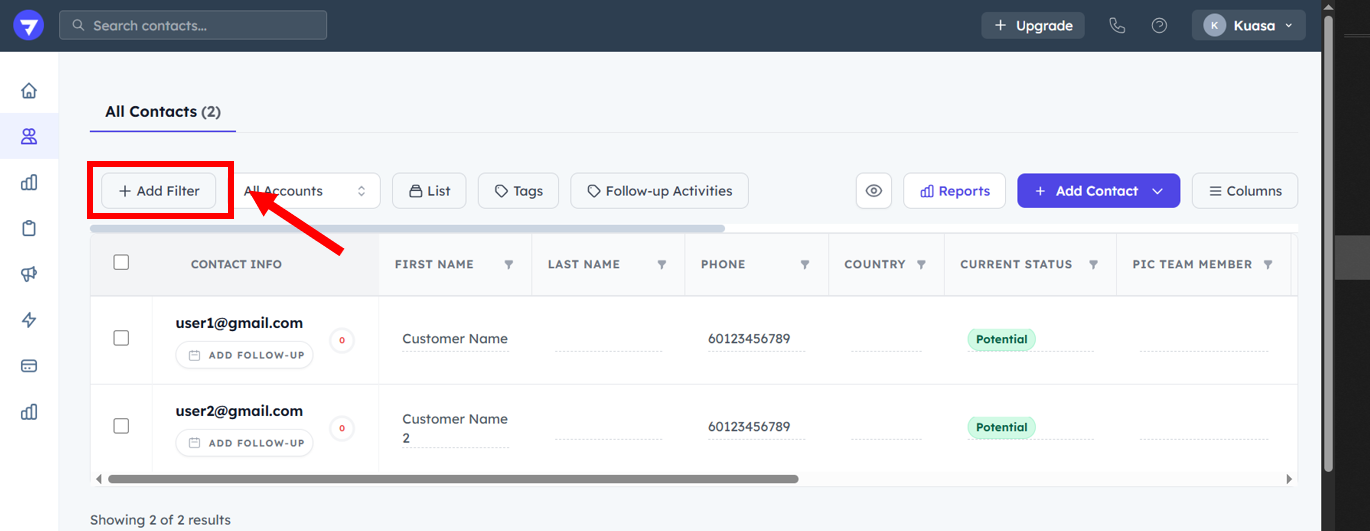
2. Click **Add Filter**.

<figure><img src="https://837980260-files.gitbook.io/~/files/v0/b/gitbook-x-prod.appspot.com/o/spaces%2F-MZ6_HQ5Xb4p3DicjdT3%2Fuploads%2Fqc4PV54plWGYpgVQK78S%2Fimage.png?alt=media&#x26;token=d103e82a-2605-45a4-afa1-9992373e8093" alt=""><figcaption></figcaption></figure>

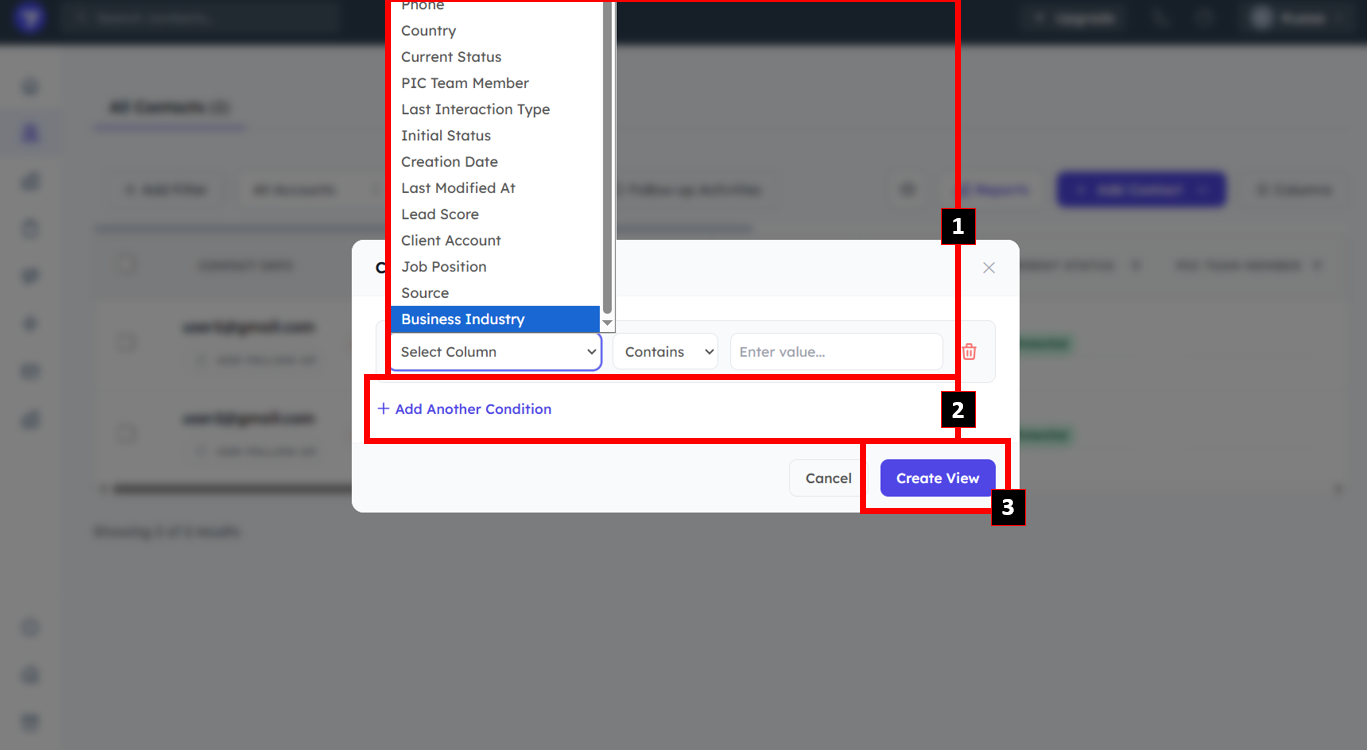
3. Select the condition for the filter.
4. Click **Add Another Condition** to add another condition for the filtration.
5. Click **Create View**.

<figure><img src="https://837980260-files.gitbook.io/~/files/v0/b/gitbook-x-prod.appspot.com/o/spaces%2F-MZ6_HQ5Xb4p3DicjdT3%2Fuploads%2FKmJ8D3ctjFOb22pX76VQ%2Fimage.png?alt=media&#x26;token=3cd64f3e-d6b2-448f-9249-629f48774afc" alt=""><figcaption></figcaption></figure>

#### Search Contacts

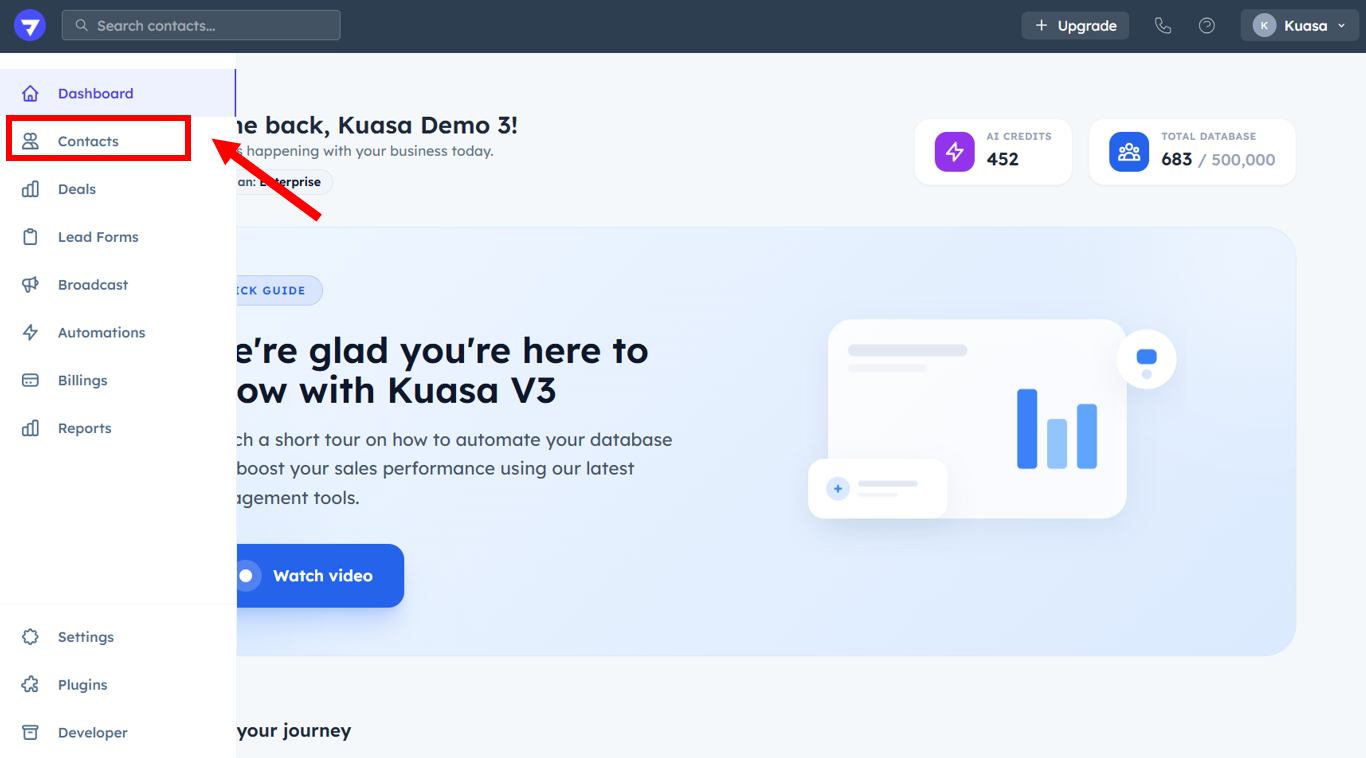
1. Click **Contacts**.

<figure><img src="https://837980260-files.gitbook.io/~/files/v0/b/gitbook-x-prod.appspot.com/o/spaces%2F-MZ6_HQ5Xb4p3DicjdT3%2Fuploads%2FKZeRU1awtvD1lrmoD8ar%2Fimage.png?alt=media&#x26;token=b99c7185-9c4b-489b-99d4-232975bf4aa2" alt=""><figcaption></figcaption></figure>

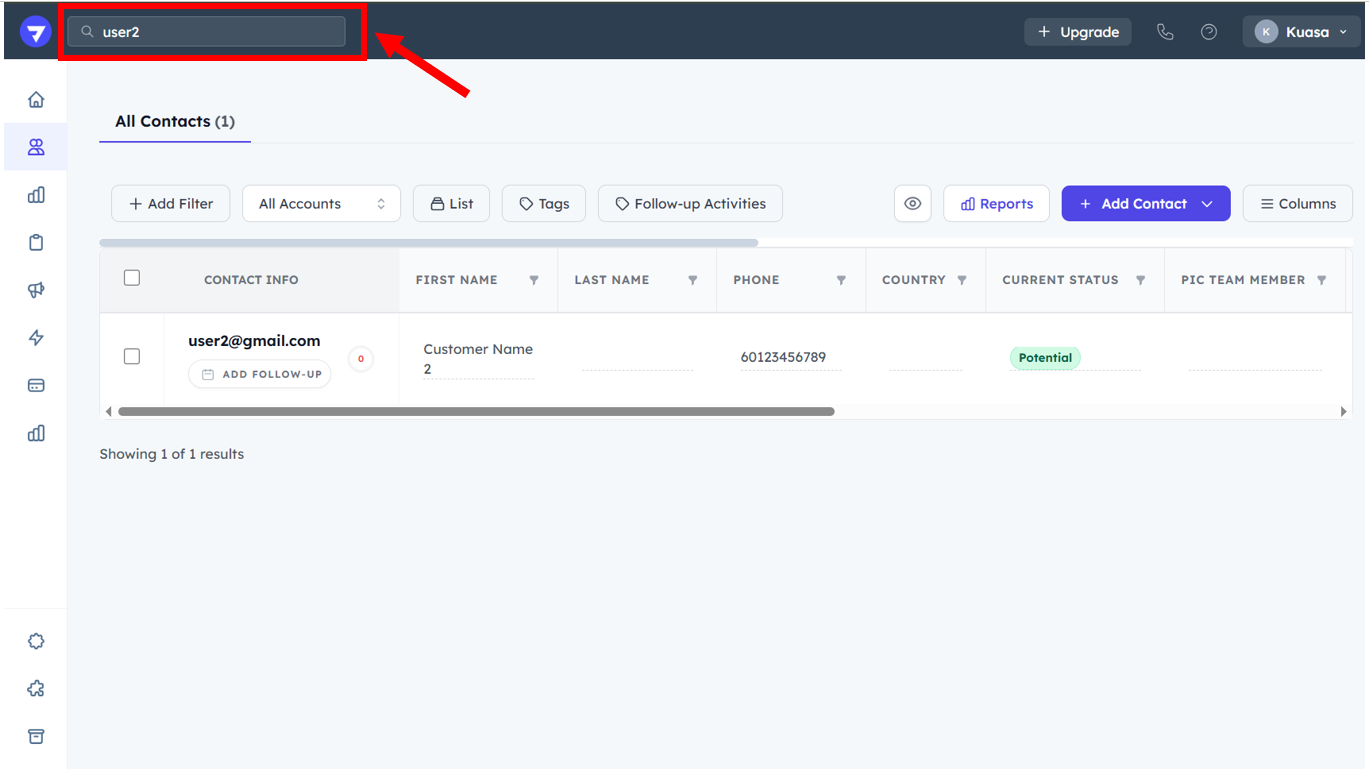
2. Type contacts in the textbox provided.

<figure><img src="https://837980260-files.gitbook.io/~/files/v0/b/gitbook-x-prod.appspot.com/o/spaces%2F-MZ6_HQ5Xb4p3DicjdT3%2Fuploads%2Flq7utwVYb0FxVtwDP2GA%2Fimage.png?alt=media&#x26;token=a916a54a-a4b3-4cb8-b9b9-cf6672a2f616" alt=""><figcaption></figcaption></figure>

3. The searched data will be listed.