# How To Reset Your Password

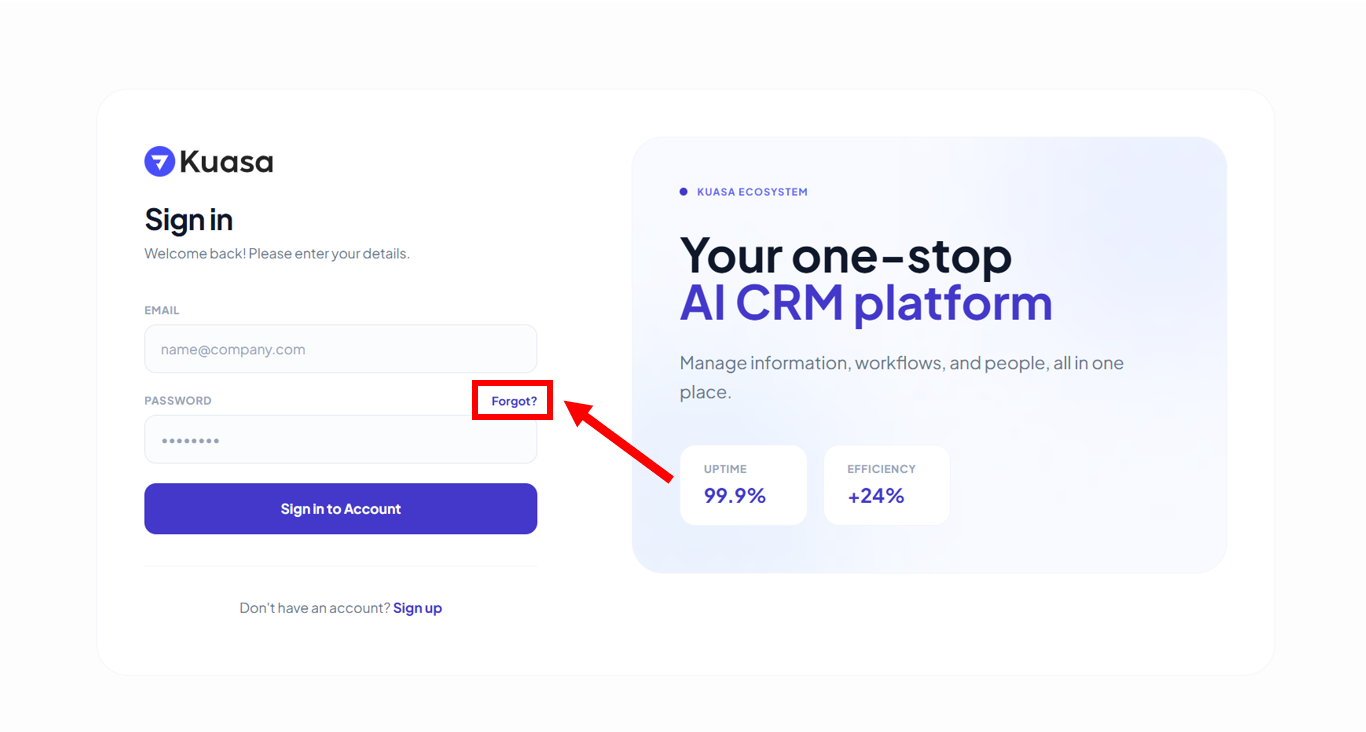
1. Click **Forgot?**

<figure><img src="https://837980260-files.gitbook.io/~/files/v0/b/gitbook-x-prod.appspot.com/o/spaces%2F-MZ6_HQ5Xb4p3DicjdT3%2Fuploads%2FAQtYLIEXW0sDBm0fqGCA%2Fimage.png?alt=media&#x26;token=442125ff-ba07-4a13-aad6-b32289839a0c" alt=""><figcaption></figcaption></figure>

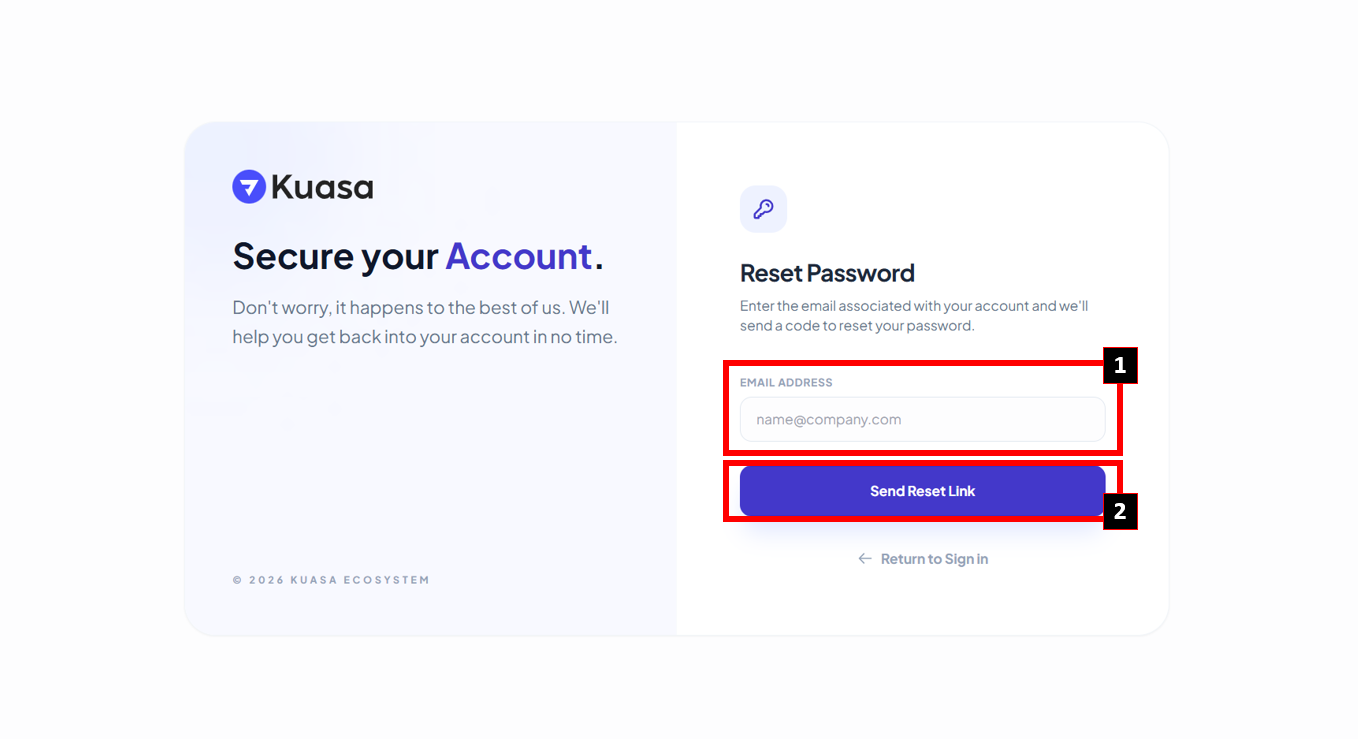
2. Enter your email to reset the password. Then, click **Send Reset Link**.

<figure><img src="https://837980260-files.gitbook.io/~/files/v0/b/gitbook-x-prod.appspot.com/o/spaces%2F-MZ6_HQ5Xb4p3DicjdT3%2Fuploads%2FnLWeyIiR4ABBCJaxefxr%2Fimage.png?alt=media&#x26;token=8e399b88-2945-43d4-9be9-b33e6e2526c4" alt=""><figcaption></figcaption></figure>

{% hint style="info" %}
Please check your email for the code to reset the password. Reset password instructions will be sent to your email.
{% endhint %}