# Manage and Create New Pipeline

#### **Create New Pipeline**

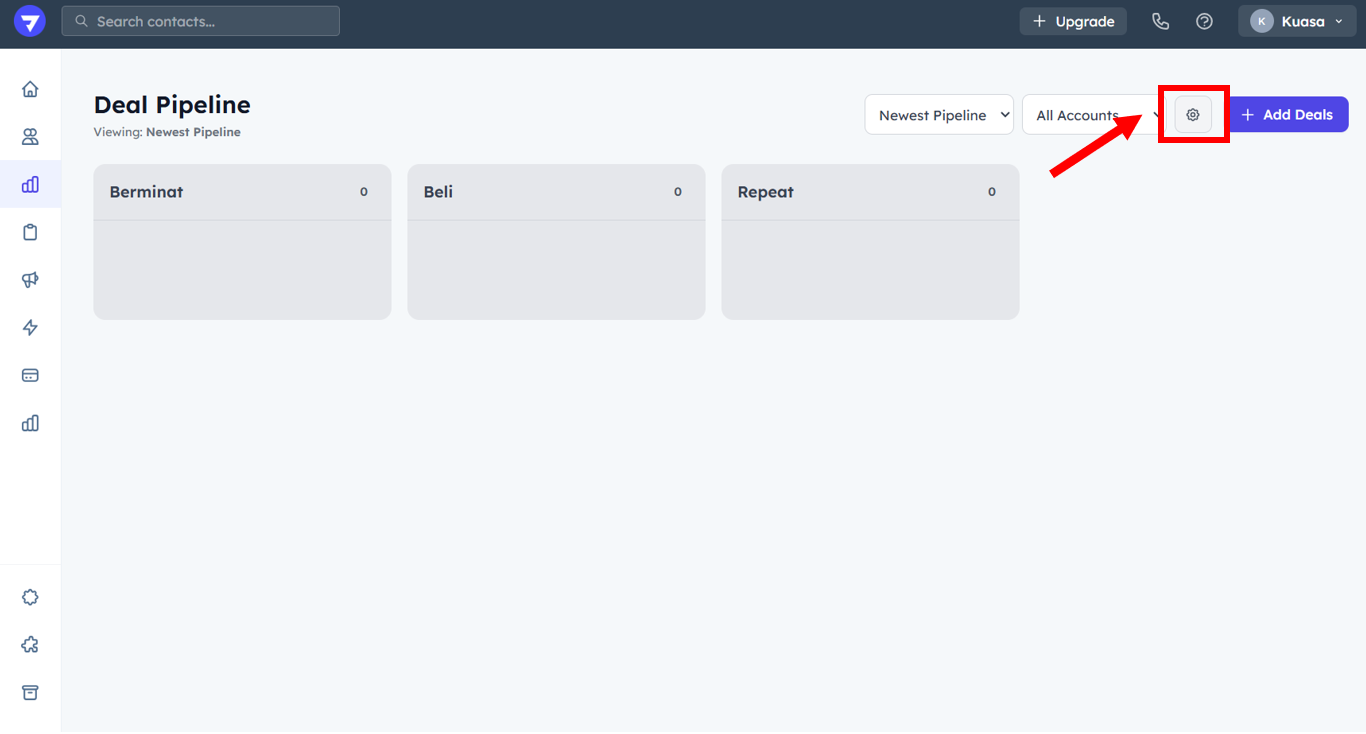
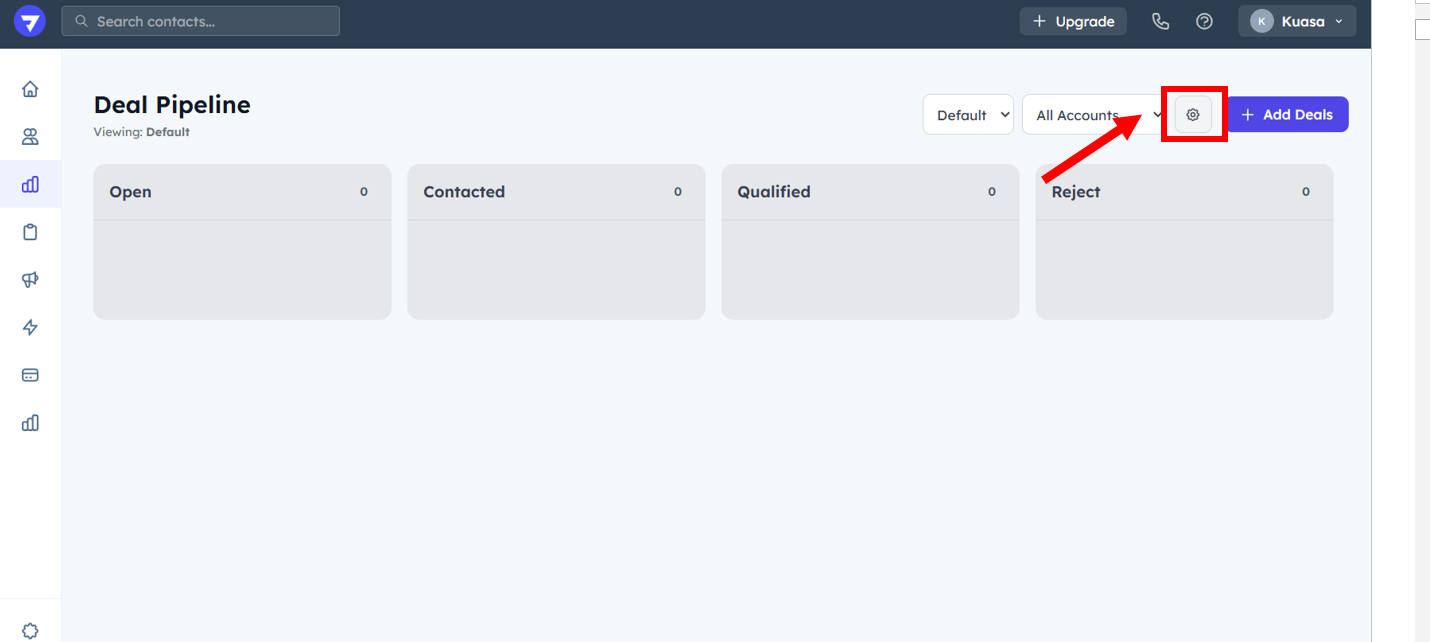
1. Click the **Settings** button.

<figure><img src="https://837980260-files.gitbook.io/~/files/v0/b/gitbook-x-prod.appspot.com/o/spaces%2F-MZ6_HQ5Xb4p3DicjdT3%2Fuploads%2FcOwn5uWkpJSHC4uygSUk%2Fimage.png?alt=media&#x26;token=185ff0a1-2bde-4ecd-86a9-d0f2266f5d3c" alt=""><figcaption></figcaption></figure>

2. Fill the **Pipeline Name** & the enter the **Stage Names**. Then, click **Create Pipeline**.

<figure><img src="https://837980260-files.gitbook.io/~/files/v0/b/gitbook-x-prod.appspot.com/o/spaces%2F-MZ6_HQ5Xb4p3DicjdT3%2Fuploads%2F1LU9wLQBCCDBHcG6iESs%2Fimage.png?alt=media&#x26;token=894df372-ca91-4e9f-b48c-5ae8c04a5d1c" alt=""><figcaption></figcaption></figure>

#### **Manage Existing Pipeline**

1. Click the **Settings** button.

<figure><img src="https://837980260-files.gitbook.io/~/files/v0/b/gitbook-x-prod.appspot.com/o/spaces%2F-MZ6_HQ5Xb4p3DicjdT3%2Fuploads%2FuWPJGp9UHRAsiujXhgQ0%2Fimage.png?alt=media&#x26;token=211e7ed9-53b5-47c8-a502-bdc58dde8a68" alt=""><figcaption></figcaption></figure>

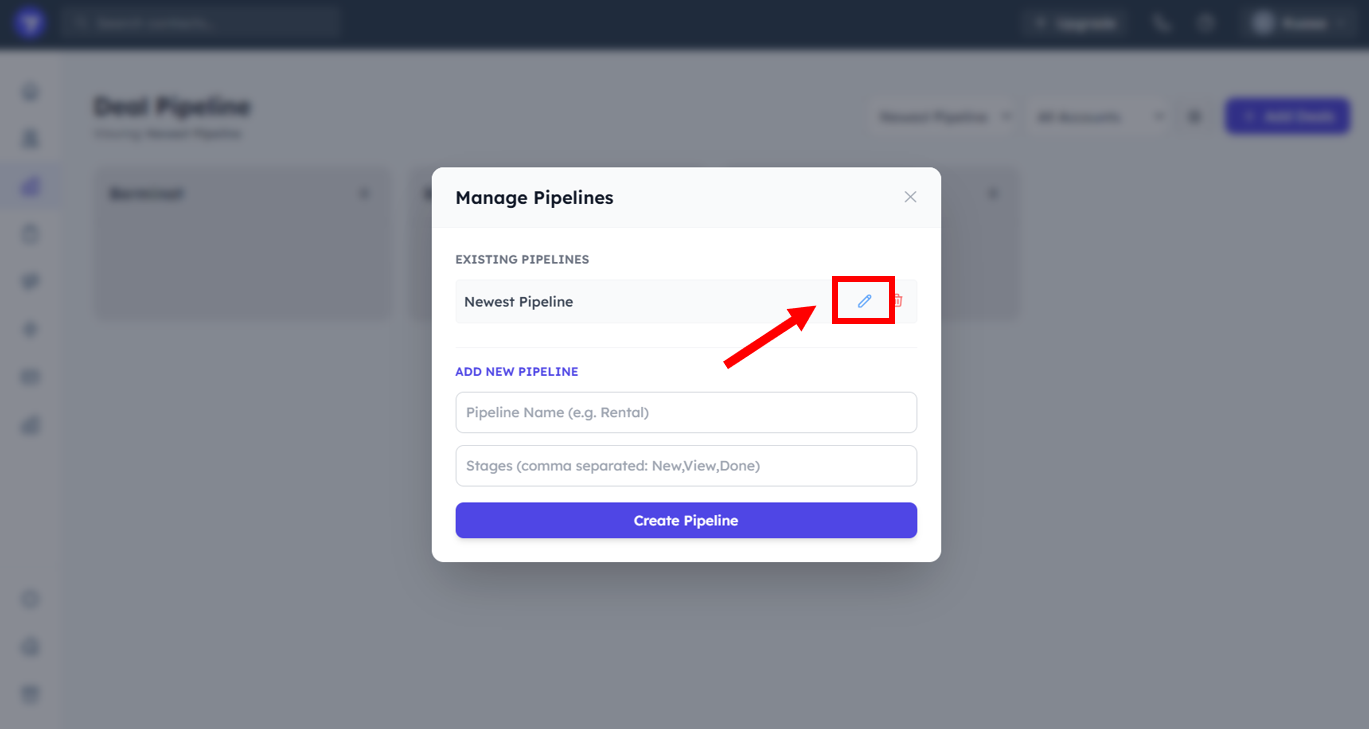
2. Click the **Edit** button to edit the pipeline.

<figure><img src="https://837980260-files.gitbook.io/~/files/v0/b/gitbook-x-prod.appspot.com/o/spaces%2F-MZ6_HQ5Xb4p3DicjdT3%2Fuploads%2FVmTDws8g4WdWg8xZjEXx%2Fimage.png?alt=media&#x26;token=ecd12d85-d588-4492-80d8-59ceb95c756c" alt=""><figcaption></figcaption></figure>

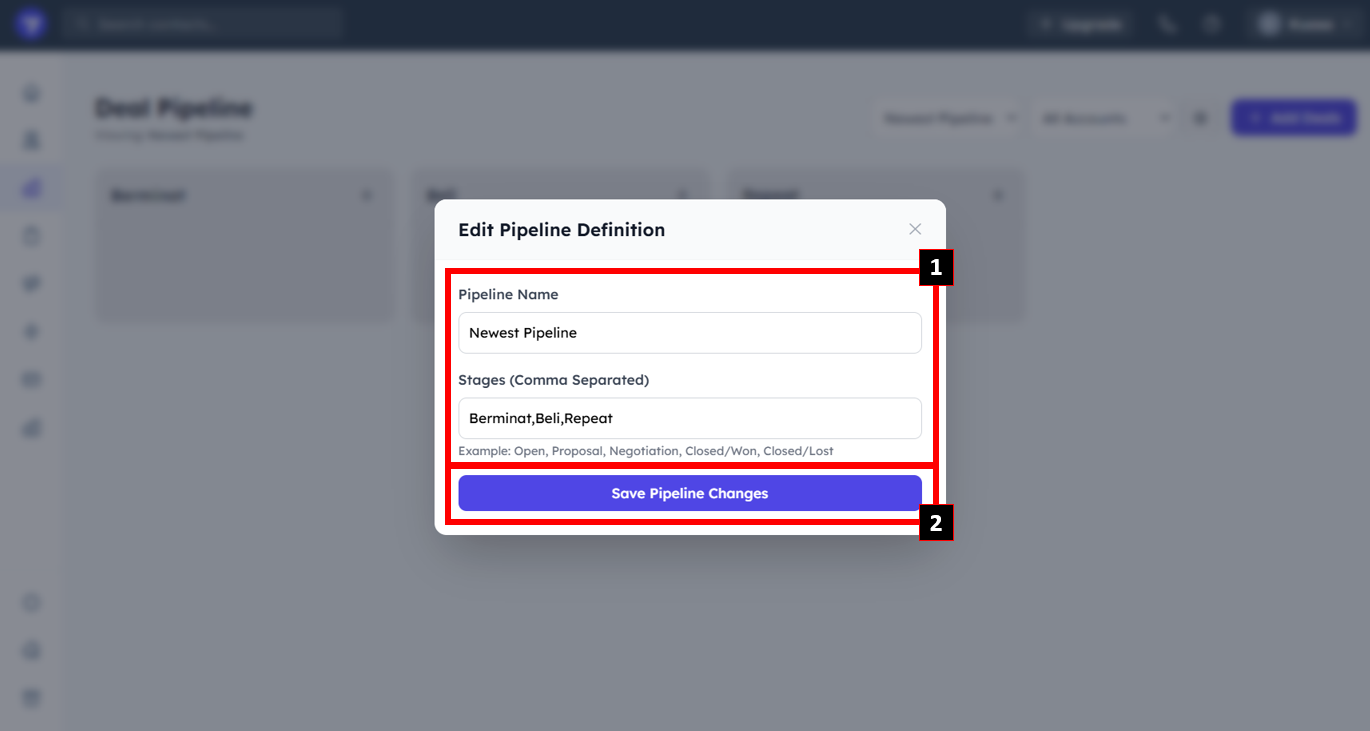
3. Edit the **Pipeline Name** & **Stages**. Then, click **Save Pipeline Changes**.
<figure><img src="https://837980260-files.gitbook.io/~/files/v0/b/gitbook-x-prod.appspot.com/o/spaces%2F-MZ6_HQ5Xb4p3DicjdT3%2Fuploads%2Fva2P7ugY8XyvuzoSybba%2Fimage.png?alt=media&#x26;token=661b96ed-09bb-49e5-8172-946ed93edeea" alt=""><figcaption></figcaption></figure>