# Adding Team Members To Your Account

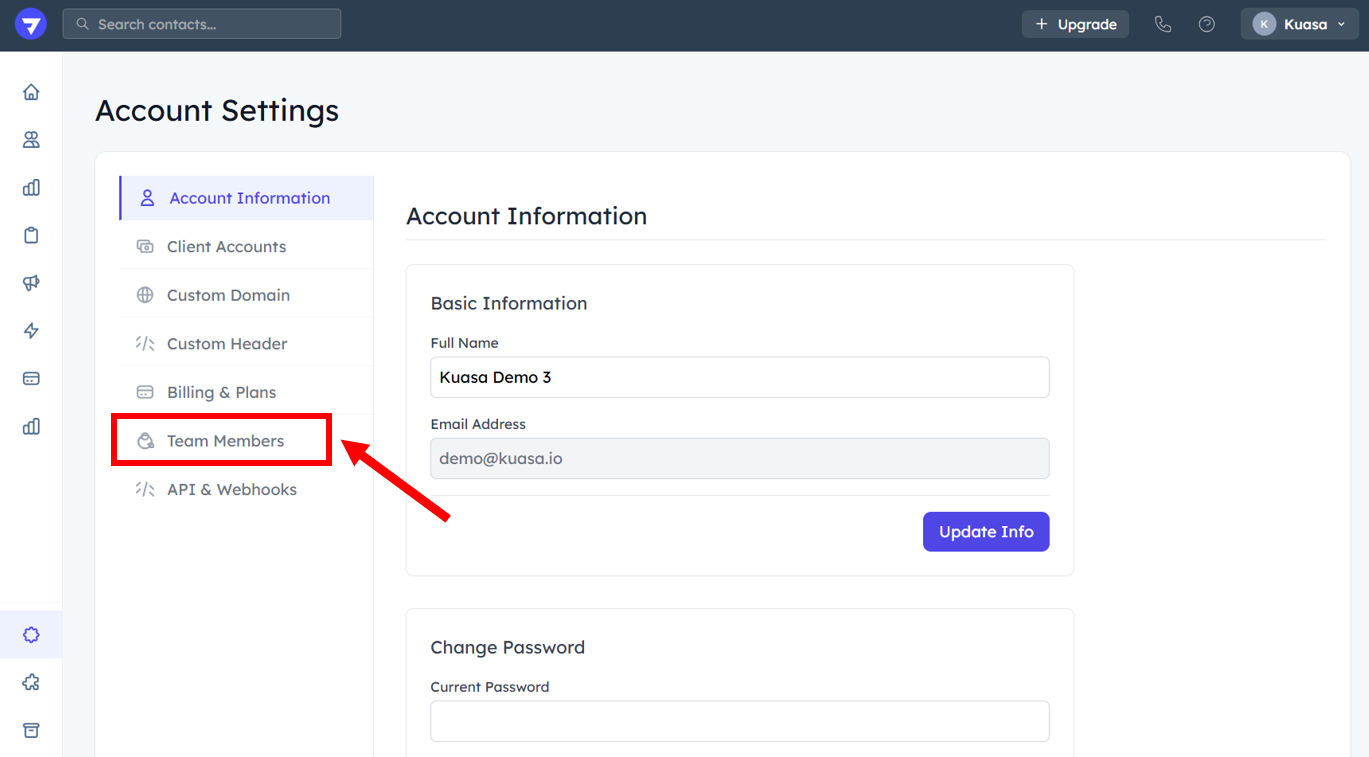
1. Go to **Settings**.

<figure><img src="https://837980260-files.gitbook.io/~/files/v0/b/gitbook-x-prod.appspot.com/o/spaces%2F-MZ6_HQ5Xb4p3DicjdT3%2Fuploads%2F1gyXwvNfHNIO1fKy9GhW%2Fimage.png?alt=media&#x26;token=acaa74bb-8d75-426e-9079-968b41efef2c" alt=""><figcaption></figcaption></figure>

2. Click **Team Members**.

<figure><img src="https://837980260-files.gitbook.io/~/files/v0/b/gitbook-x-prod.appspot.com/o/spaces%2F-MZ6_HQ5Xb4p3DicjdT3%2Fuploads%2F5tZFq3AFopaHEx3InsRK%2Fimage.png?alt=media&#x26;token=8f07cacf-ff1e-439c-84aa-afb196eb82ab" alt=""><figcaption></figcaption></figure>

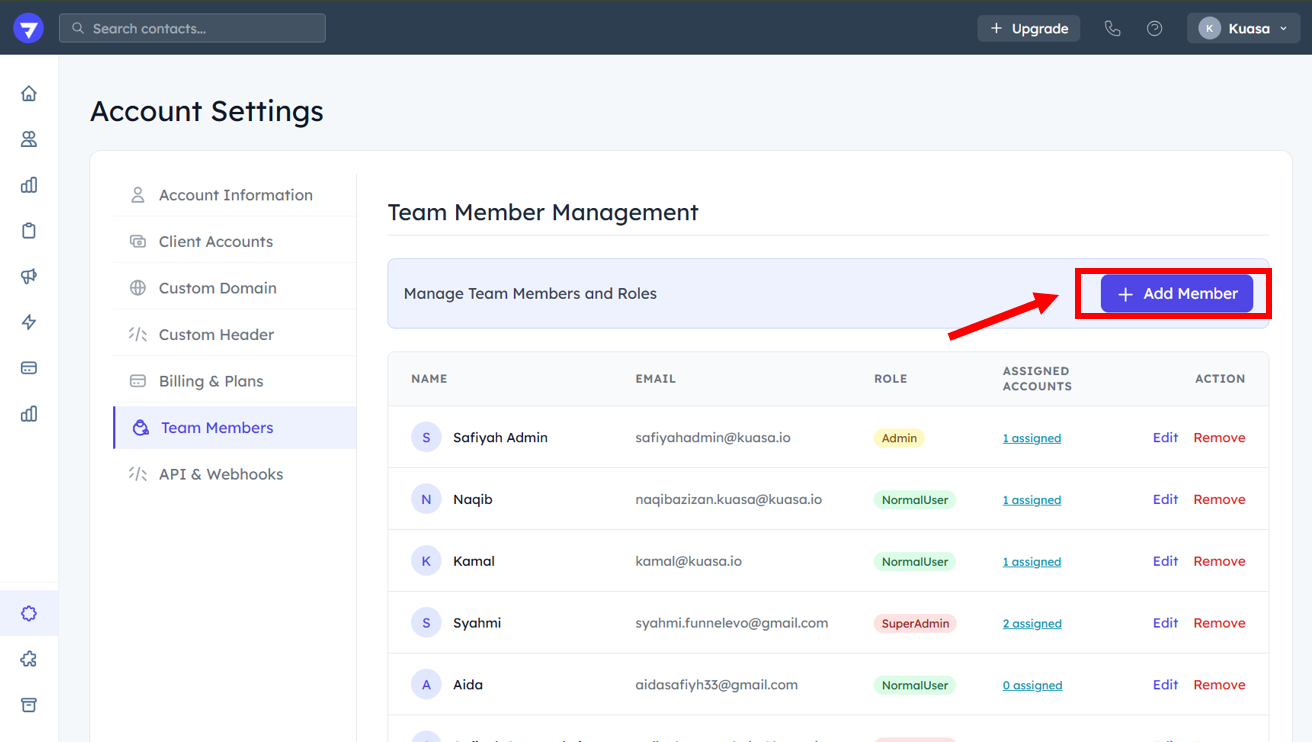
3. Click **Add Member**.

<figure><img src="https://837980260-files.gitbook.io/~/files/v0/b/gitbook-x-prod.appspot.com/o/spaces%2F-MZ6_HQ5Xb4p3DicjdT3%2Fuploads%2Fq9wR2ShJC4cZPBvL4iXy%2Fimage.png?alt=media&#x26;token=c98c2e1f-c99e-4a59-a5a8-75f77940b417" alt=""><figcaption></figcaption></figure>

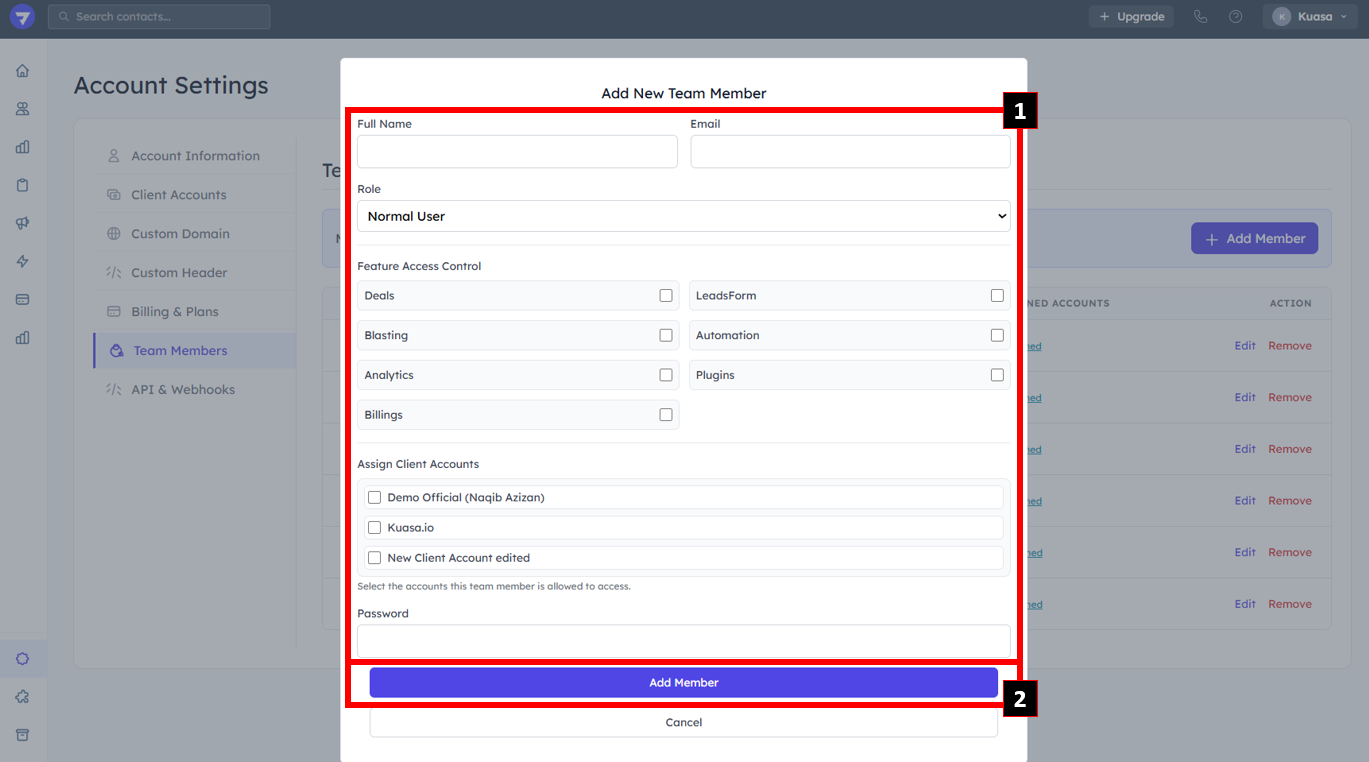
4. Enter team member details:

* Name
* Email
* Role
* Feature Access Control

{% hint style="info" %}
Please tick on the the access control that will be given to team member.
{% endhint %}

* Assign to which account

* Password

* Then, click **Add Member**.

<figure><img src="https://837980260-files.gitbook.io/~/files/v0/b/gitbook-x-prod.appspot.com/o/spaces%2F-MZ6_HQ5Xb4p3DicjdT3%2Fuploads%2FQ3HHTKen8tDdG7iaqOI9%2Fimage.png?alt=media&#x26;token=a246808f-5823-43e7-9ef4-e5305ae3a0ba" alt=""><figcaption></figcaption></figure>