# Adding Client Accounts To Your System

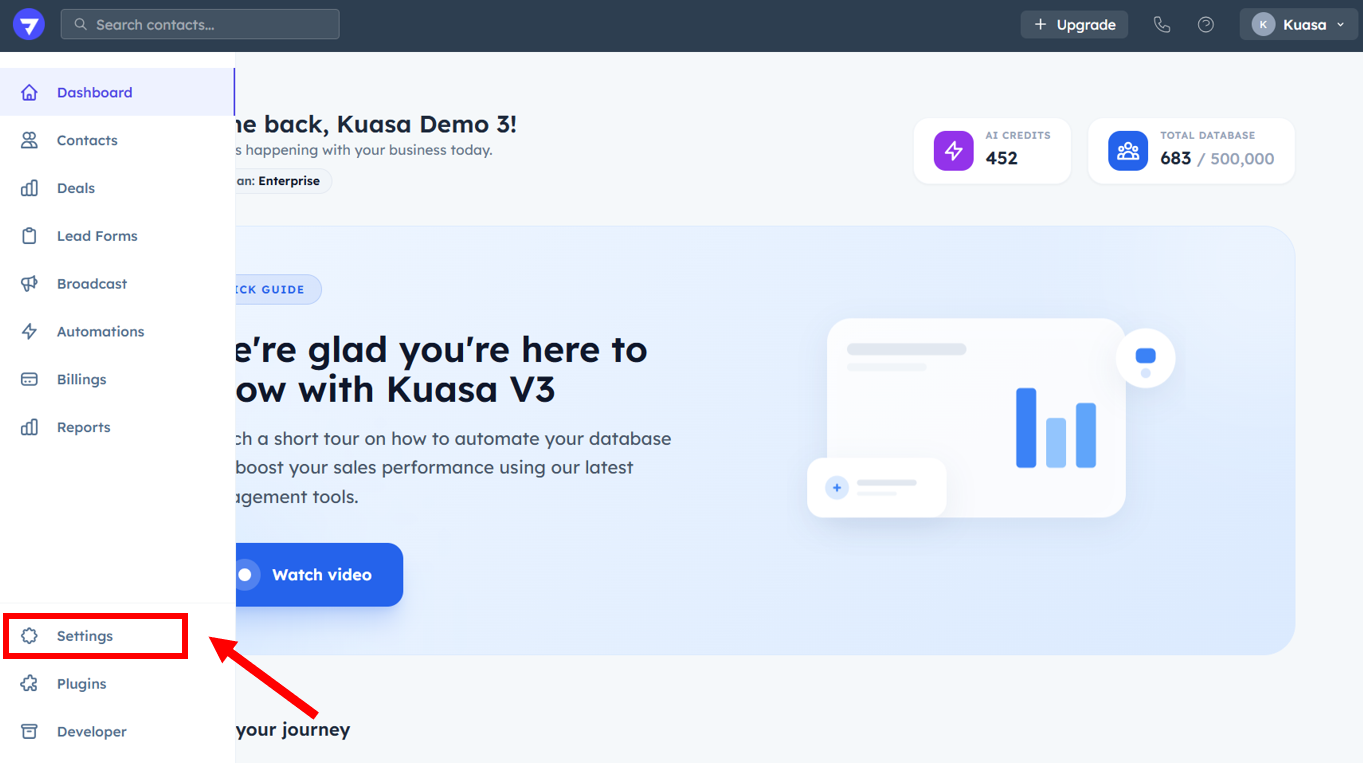
1. Go to **Settings**.

<figure><img src="https://837980260-files.gitbook.io/~/files/v0/b/gitbook-x-prod.appspot.com/o/spaces%2F-MZ6_HQ5Xb4p3DicjdT3%2Fuploads%2Fctu4CD5br5DBD7Sk2YLQ%2Fimage.png?alt=media&#x26;token=5047dbba-4d75-4a92-accf-9b2dbef44455" alt=""><figcaption></figcaption></figure>

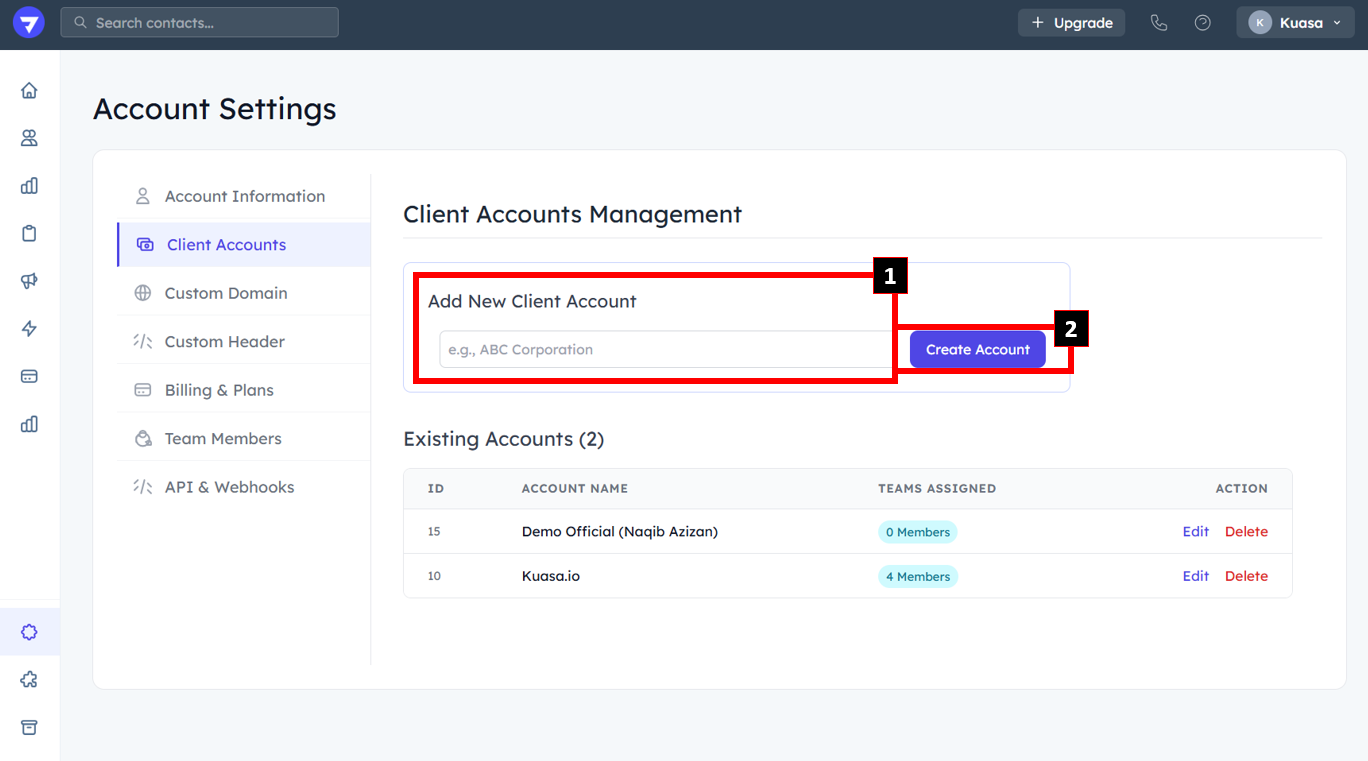
2. Click **Client Accounts**.

<figure><img src="https://837980260-files.gitbook.io/~/files/v0/b/gitbook-x-prod.appspot.com/o/spaces%2F-MZ6_HQ5Xb4p3DicjdT3%2Fuploads%2FUuuSHr6UFmElNrbk8LDx%2Fimage.png?alt=media&#x26;token=19eba453-cf18-4e90-bd47-7938cf45472a" alt=""><figcaption></figcaption></figure>

3. Fill in the New Client Account name. Then, click **Create Account**.

<figure><img src="https://837980260-files.gitbook.io/~/files/v0/b/gitbook-x-prod.appspot.com/o/spaces%2F-MZ6_HQ5Xb4p3DicjdT3%2Fuploads%2FLCOpHT2Fwx0qbaxKixu9%2Fimage.png?alt=media&#x26;token=2ed731b6-ae56-42af-b42f-9fdbdd54b30b" alt=""><figcaption></figcaption></figure>

{% hint style="success" %}
You have successfully created a new client account.
{% endhint %}