# Setup Products

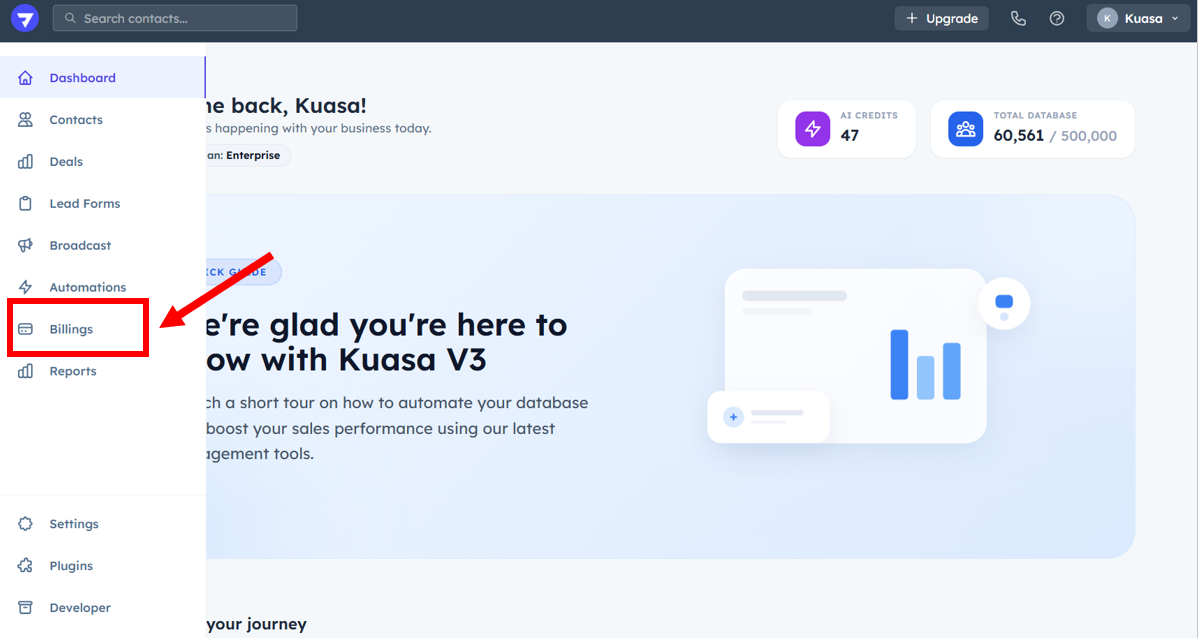
1. Click **Billings**.

<figure><img src="https://837980260-files.gitbook.io/~/files/v0/b/gitbook-x-prod.appspot.com/o/spaces%2F-MZ6_HQ5Xb4p3DicjdT3%2Fuploads%2Fkv5m991gVZFKwYKWjz4m%2Fimage.png?alt=media&#x26;token=b206eadb-5e95-411d-89c8-ba90f6a1aaa0" alt=""><figcaption></figcaption></figure>

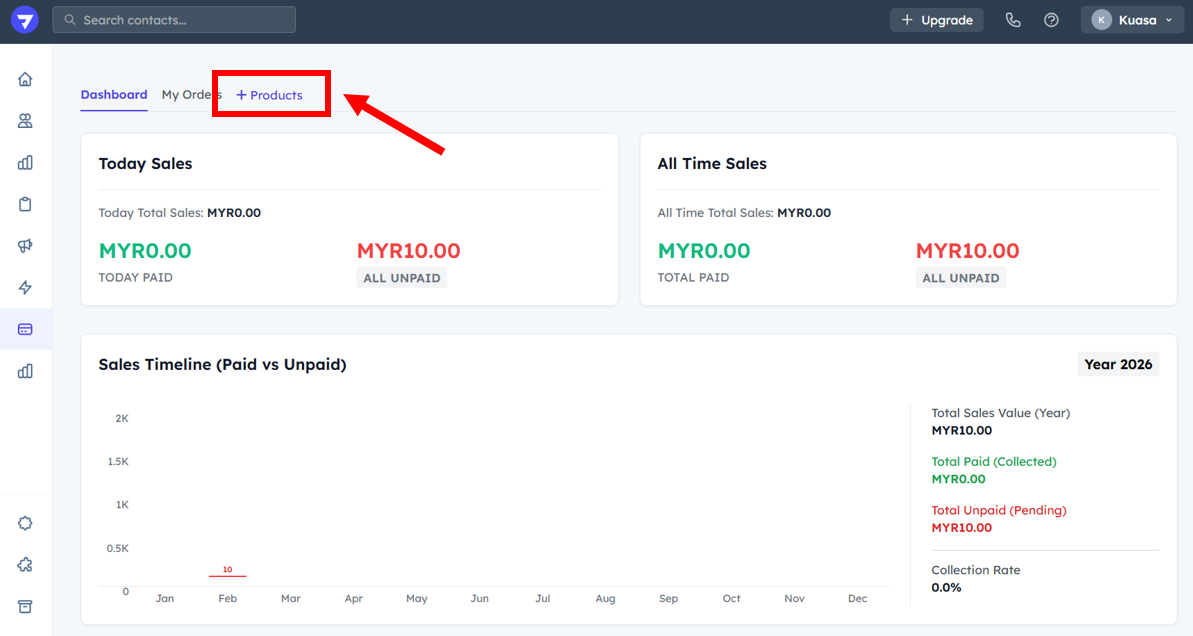
2. Click **+ Products**.

<figure><img src="https://837980260-files.gitbook.io/~/files/v0/b/gitbook-x-prod.appspot.com/o/spaces%2F-MZ6_HQ5Xb4p3DicjdT3%2Fuploads%2FqKDZRizlZQBKpamskKYr%2Fimage.png?alt=media&#x26;token=228422ff-d4e8-438d-8d39-bdd57af306ef" alt=""><figcaption></figcaption></figure>

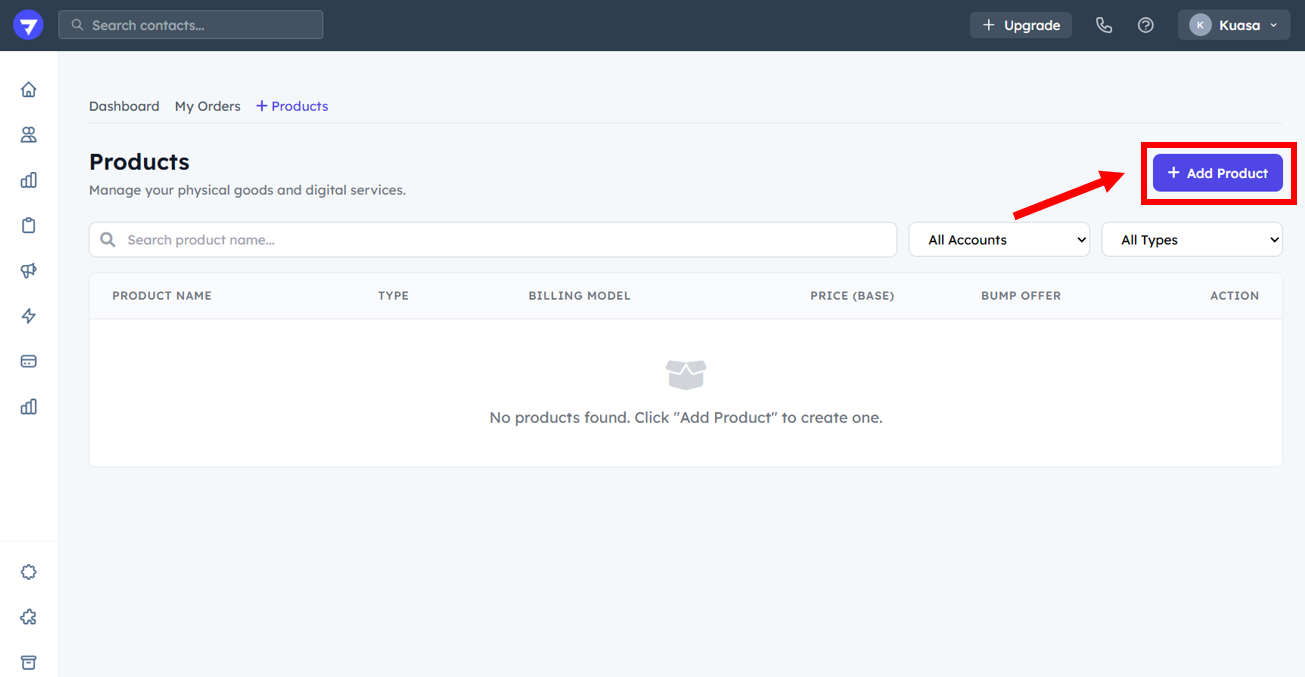
3. Click the **+ Add Product** button.

<figure><img src="https://837980260-files.gitbook.io/~/files/v0/b/gitbook-x-prod.appspot.com/o/spaces%2F-MZ6_HQ5Xb4p3DicjdT3%2Fuploads%2FaCrH5FGa3MFwU0XK01PH%2Fimage.png?alt=media&#x26;token=0bfcc210-042a-4455-b24a-047dc09e05ed" alt=""><figcaption></figcaption></figure>

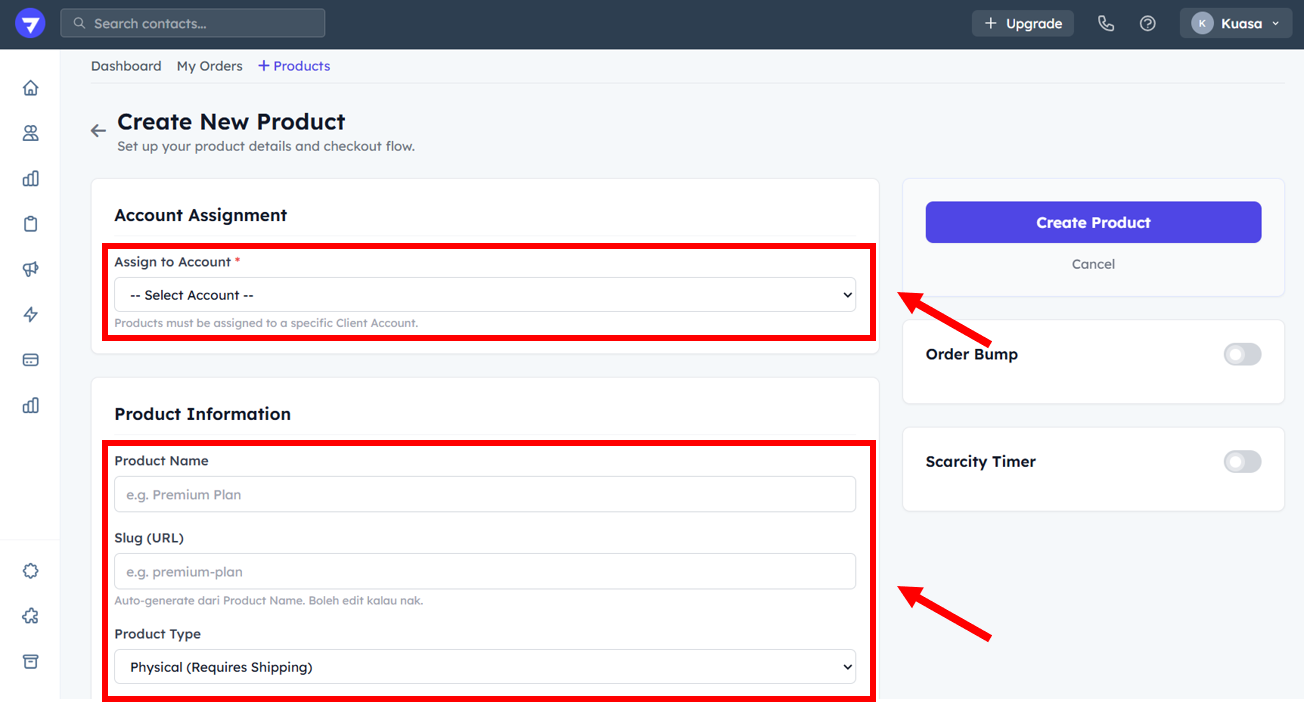
4. Choose the Client Account.
5. Enter the Product Name.
6. Choose the Product Type (Physical or Digital).

<figure><img src="https://837980260-files.gitbook.io/~/files/v0/b/gitbook-x-prod.appspot.com/o/spaces%2F-MZ6_HQ5Xb4p3DicjdT3%2Fuploads%2FE658a7a1DMpHMqHTzScL%2Fimage.png?alt=media&#x26;token=adabe949-0107-4544-8698-a4771baab32c" alt=""><figcaption></figcaption></figure>

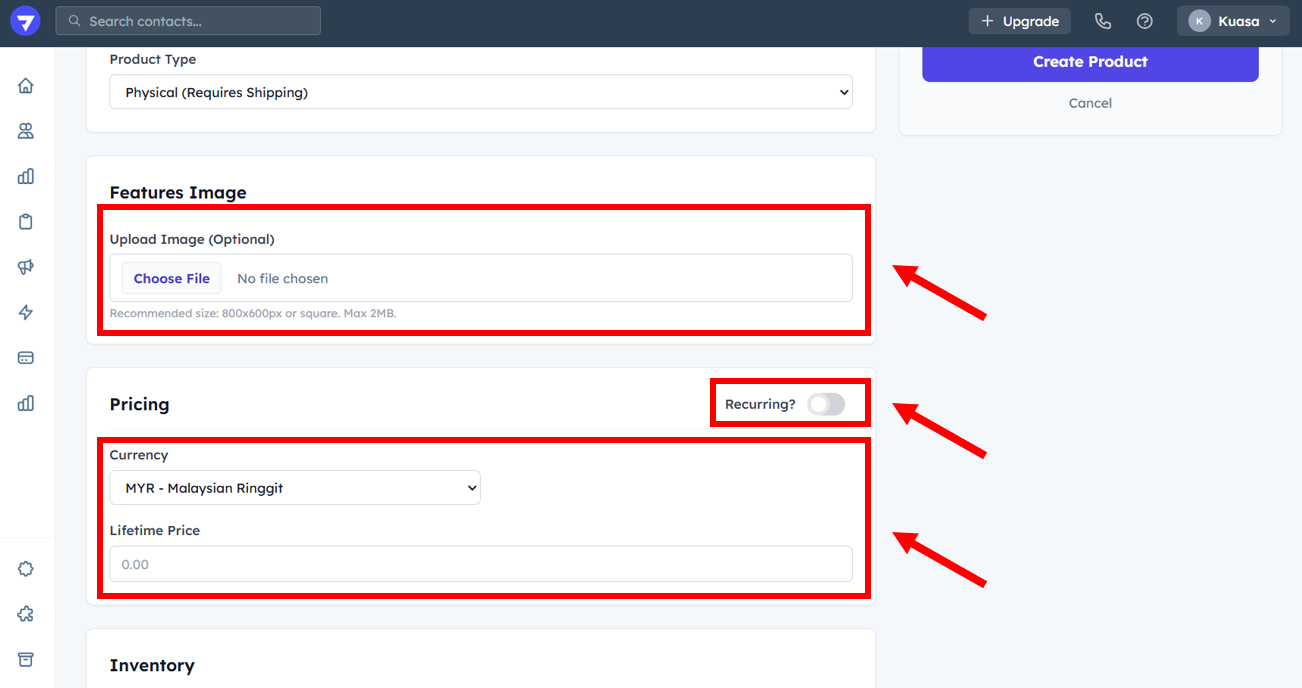
7. You can upload the product image.
8. You may set the lifetime price.

{% hint style="info" %}
You may set the payment is recurring or not.
{% endhint %}

<figure><img src="https://837980260-files.gitbook.io/~/files/v0/b/gitbook-x-prod.appspot.com/o/spaces%2F-MZ6_HQ5Xb4p3DicjdT3%2Fuploads%2FpGS54QnVKCbIOgHyhJU3%2Fimage.png?alt=media&#x26;token=3526998d-7207-4fb4-be6f-7ffdcbba6184" alt=""><figcaption></figcaption></figure>

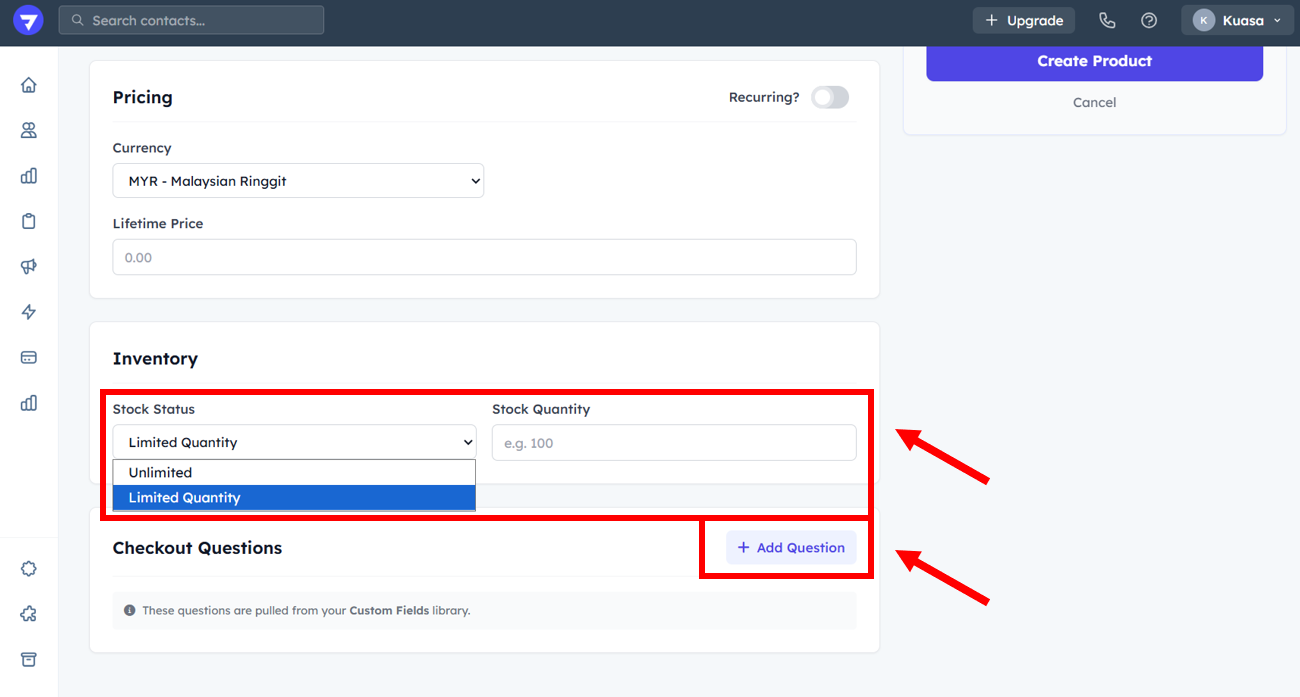
7. Set the stock quantity.
8. You can add custom question in the check out page.

<figure><img src="https://837980260-files.gitbook.io/~/files/v0/b/gitbook-x-prod.appspot.com/o/spaces%2F-MZ6_HQ5Xb4p3DicjdT3%2Fuploads%2FDzTUKNwEs2POm58sK6FU%2Fimage.png?alt=media&#x26;token=c3418b32-d9bb-4b4b-ad21-6ba2938165a4" alt=""><figcaption></figcaption></figure>

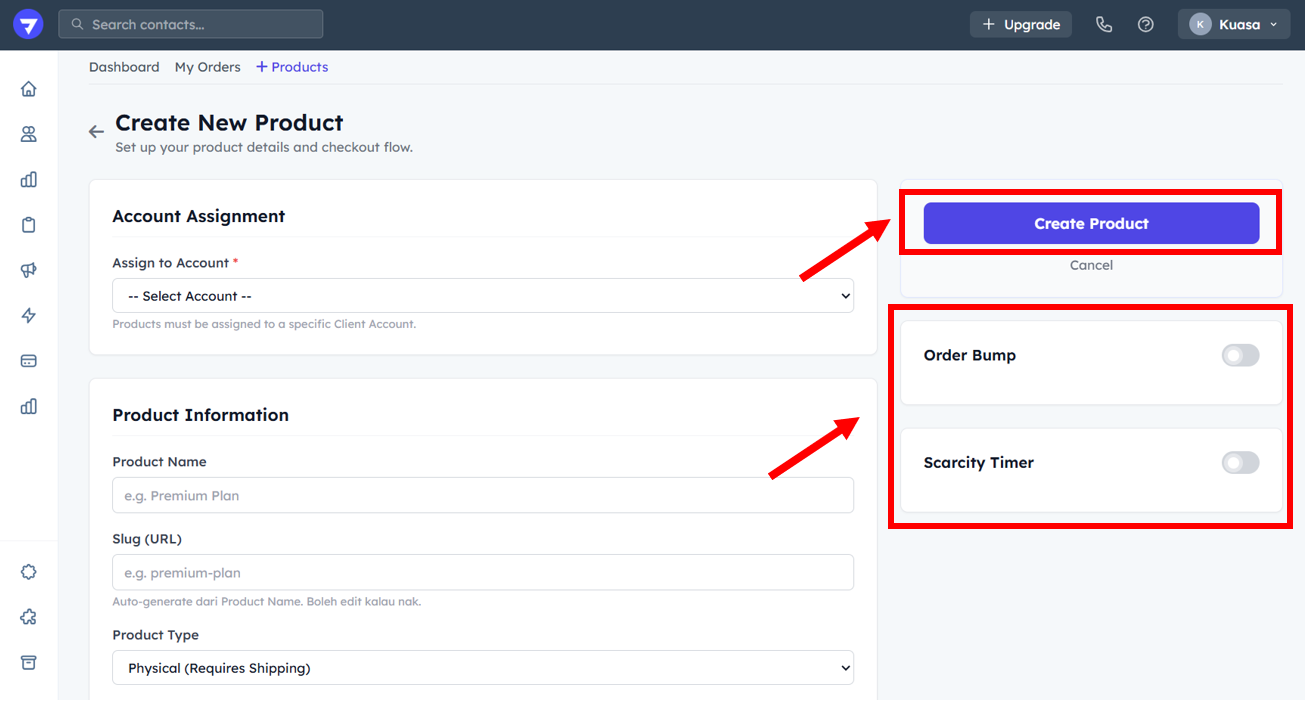
7. You may toggle on the Order Bump and Scarcity Timer.
8. After complete fill up all the details, click **Create Product**.

<figure><img src="https://837980260-files.gitbook.io/~/files/v0/b/gitbook-x-prod.appspot.com/o/spaces%2F-MZ6_HQ5Xb4p3DicjdT3%2Fuploads%2FJEOI2iBtgWt3ThFW0Tea%2Fimage.png?alt=media&#x26;token=6f2d1d33-6de4-4ce7-b397-682e9383bbb2" alt=""><figcaption></figcaption></figure>

{% hint style="success" %}
Well Done! You already create a new product.
{% endhint %}